
A desk for two monitors needs more than enough room for two screens. Check the weight of the complete moving setup, the available work-surface space, monitor mounting, and cable travel before choosing a model.
Start with the work surface, then add each monitor, its stand or arm, the computer, and anything else that moves with the desk. Use the actual weights of your equipment. Monitor size alone cannot tell you what the complete setup weighs.
For a pneumatic desk, compare that total setup weight with the desk’s pneumatic operating range. This describes the load for which its lift assistance is set; it is not the same as a structural load capacity. Klöud has adjustable pneumatic assistance for 60–150 lb of total setup weight, including the work surface and all equipment. Its assistance can be retuned if the setup changes. Nimbus has fixed assistance for 110 lb total setup weight. With its standard work surface of approximately 60 lb, about 50 lb remains for equipment.
That arithmetic is why a second screen can matter even when each monitor seems light. A larger work surface, a monitor arm, or a desktop computer may change the total. If you are close to a model’s operating limit, check the complete equipment list before ordering.
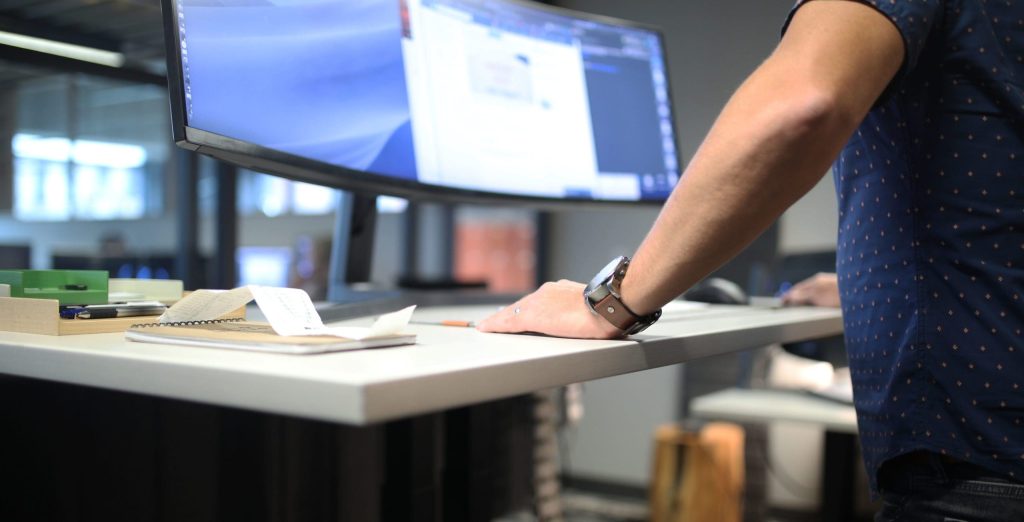
Place the two monitor footprints or arm mounting points on a sketch of the work surface. Include the keyboard, mouse, laptop or computer, and any paper space you need. Check depth as well as width, because monitor stands and clamp hardware can occupy the back edge.
Klöud is offered with recommended 30 × 48 in and 30 × 60 in work surfaces. Those dimensions describe available surface choices, not a promise that every pair of monitors will fit. Screen widths, stand footprints, arm reach, and your preferred arrangement decide how much usable space remains.
Decide whether the screens will sit on their supplied stands or use a monitor arm. For an arm, verify its monitor-weight rating and the clamp or mounting requirements against the selected work surface. Leave space for the arm to move without hitting a wall or shelf when the desk changes height.
Set the screens for a viewing position that works for the person using the desk at both seated and standing heights. Do not rely on a universal screen distance or a fixed eye-level measurement. If the workstation is shared, each user may need a different arrangement.
Trace the power and data cables from each screen to the computer and outlet. At the desk’s highest position, they need enough reach without pulling on a port or arm. At the lowest position, keep extra length clear of moving frame parts and feet.
Route and secure cables only after you have tested the complete up-and-down travel. Cable management can tidy the run, but it cannot make a short cord long enough or confirm compatibility with every monitor arm.
Bring the measurements together: total setup weight, surface footprint, monitor mounting, room clearance, and cable reach. If equipment is likely to change, Klöud’s adjustable assistance may give you more room to retune the pneumatic balance. If your setup is stable and fits the fixed 110 lb total setup weight, Nimbus is another model to evaluate.
Compare current desk dimensions and mechanisms, then review the Klöud and Nimbus product details for the configuration you are considering. If a mounting or compatibility detail remains unclear, ask our team with your equipment list before ordering.