


A visual guide to choosing a standing desk, setting it up correctly, and understanding how each lift mechanism affects adjustment.
A standing desk, also called a height-adjustable or sit-stand desk, lets you raise or lower the work surface for sitting and standing.
The practical benefit is flexibility. Instead of replacing sitting with standing all day, a well-fitted desk makes it easier to change posture and add movement without leaving the task.
A standing desk can help interrupt prolonged sitting and make posture changes easier. It is not a medical treatment, and standing continuously is not the goal.
Changing posture may reduce discomfort caused by remaining still too long. A small CDC workplace pilot reported less upper-back and neck pain, but individual results vary.
A correctly adjusted desk can support a neutral screen, shoulder, elbow, and wrist position. Workstation setup and regular movement still matter.
A standing desk can make position changes easier during the workday. It does not establish or prevent disease risk, and it does not replace physical activity.
Changing position and taking short walking breaks helps avoid long static periods. Prolonged standing can also become uncomfortable, so alternate positions instead of standing continuously.
Participants sat 66 fewer minutes per day and reported less upper-back and neck pain. This was a small, four-week CDC workplace pilot with 34 participants. It does not establish that every person will have the same result.
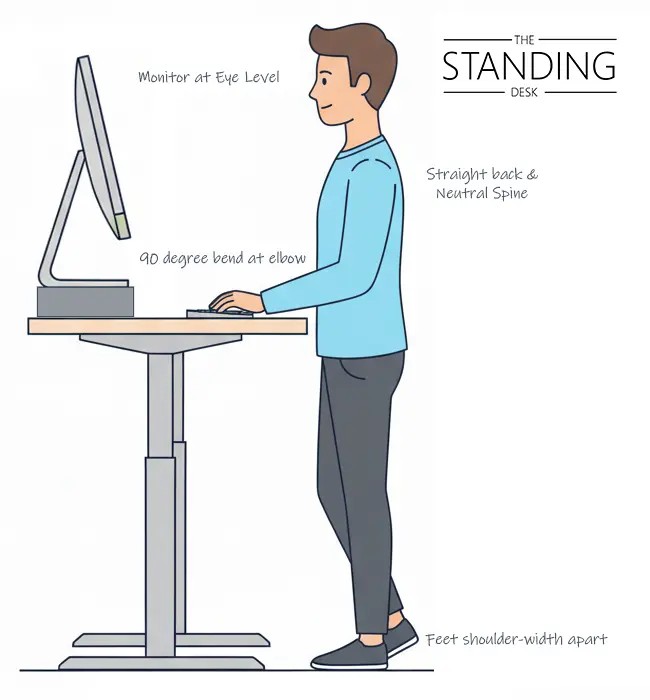
Screen: align the top of the display at or slightly below eye level and keep it at a comfortable viewing distance.
Arms and wrists: keep elbows close to your sides, forearms roughly level, and wrists neutral.
Stance and support: keep your feet supported and weight balanced. Change stance and move regularly rather than locking into one position.
Recheck these cues whenever you change height.
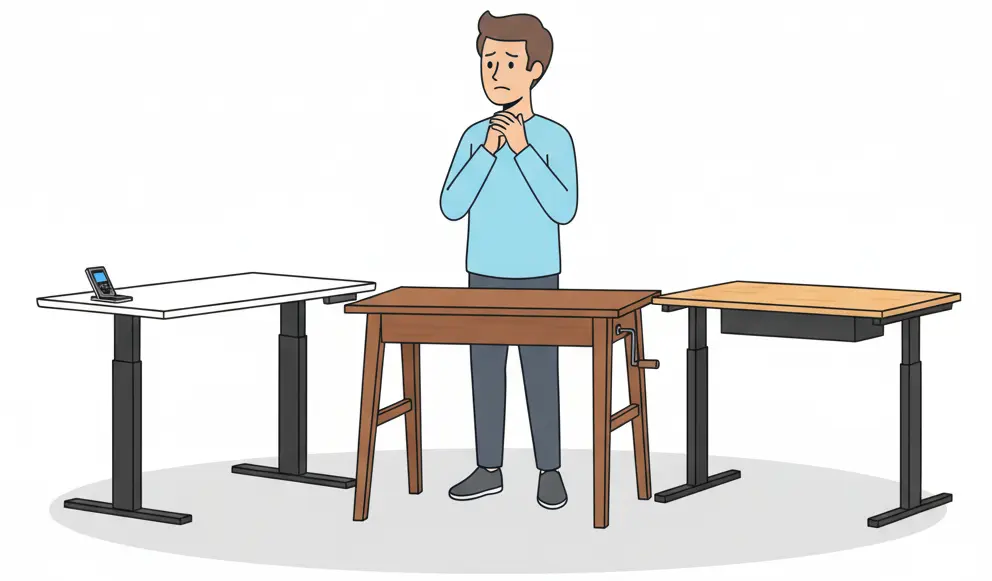
Height-adjustable desks vary by lift mechanism. Choose the type that matches your workspace, equipment, and adjustment frequency.
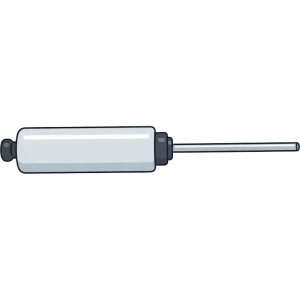
Gas springs provide lift assistance while you guide the surface by hand. The Standing Desk pneumatic models move in under three seconds and require no outlet. Read the pneumatic guide.
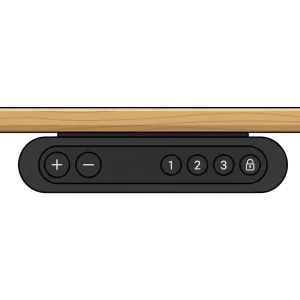
Electric motors raise and lower the desk from a handset. These desks can suit heavier or changing setups and may include programmable heights, but they require power.
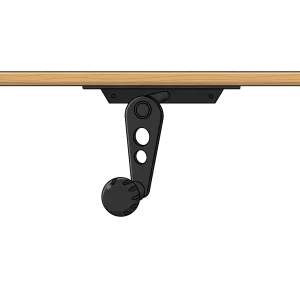
A hand crank drives the lift mechanism. It avoids electrical power, but changing height takes repeated turning and more time.
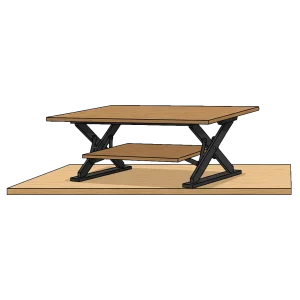
A converter sits on an existing desk. It can add a standing position without replacing the desk, but it usually provides less usable work area and less room for equipment than a full desk.
The right desk should fit your body, equipment, room, and willingness to adjust it throughout the day.
Confirm the sitting and standing height range, then consider how quickly and comfortably the desk moves. The easier the adjustment feels, the more likely you are to use both positions.
Count the work surface, monitors, computer, arms, lighting, and accessories. Pneumatic equipment allowance is different from structural load capacity.
Choose enough width for your everyday equipment and enough depth for a comfortable monitor distance. Make sure the base also fits the room.
Evaluate stability at standing height with a realistic equipment setup, not only as an empty frame.
Consider outlet access, power cords, casters, cable management, doorways, and whether the desk will move between rooms or users.
Match the desk features to how and where you work.
Use the matrix as a starting point; individual model specifications still determine fit.
Swipe to compare all four mechanisms.
| Type | Pneumatic | Electric | Crank | Converter |
|---|---|---|---|---|
| Best for | Frequent changes | Heavier setups | Infrequent changes | Existing fixed desk |
| Lift speed | Under 3 seconds on TSD models | Varies by motor | Slow; repeated turns | Varies by model |
| Power | No outlet | Outlet required | No outlet | Powered and power-free |
| Equipment fit | Model-specific allowance | Often chosen for heavier setups | Varies by frame | Usually smaller |
| Drive | Gas springs | Electric motors | Hand crank | Varies |
| Placement | Cord-free | Near an outlet | Cord-free | On an existing desk |
Open the questions that matter to your workspace. The answers stay concise so the guide remains easy to scan.
A standing desk is a height-adjustable workstation that supports sitting and standing. Pneumatic gas springs, electric motors, a hand crank, or a converter mechanism may move the surface.
They can help interrupt prolonged sitting and make posture changes easier. They are not a cure-all, and prolonged standing can also become uncomfortable.
There is no universal interval. Begin with short standing periods, change before discomfort builds, and include brief walking or movement breaks.
A standing desk does not guarantee greater productivity. Some people report feeling more alert after changing posture, and an adjustable desk provides another working position without leaving the task.
Changing posture may reduce discomfort for some people, but workstation fit and individual health needs matter. Persistent pain should be discussed with a qualified clinician.
Set the keyboard so your shoulders relax and wrists remain neutral, then place the screen at a comfortable viewing height.
No. A standing desk changes how you work at the desk; it does not replace regular physical activity.
Yes. Check the surface dimensions, base footprint, cable path, and room needed for the desk to travel through its full height range.
Compare The Standing Desk models by height range, equipment allowance, surface size, and adjustment style, or continue with the pneumatic guide. Review shipping and returns, or contact a desk specialist for help with your setup.