Pneumatic and hydraulic describe different ways to transmit force. For a standing desk, the useful comparison is the complete model: how it moves, what weight figure applies, where it can be placed, and what ownership involves.
Pneumatic systems use compressed gas; hydraulic systems use pressurized liquid. That distinction explains the working medium, but it does not establish which desk is faster, quieter, safer, less expensive, or easier to maintain. Those outcomes depend on the design and evidence for the particular model.
The Standing Desk’s pneumatic models use gas springs for lift assistance. They are not hydraulic desks. Our current electric models are a separate mechanism category, so compare them on their own published specifications.
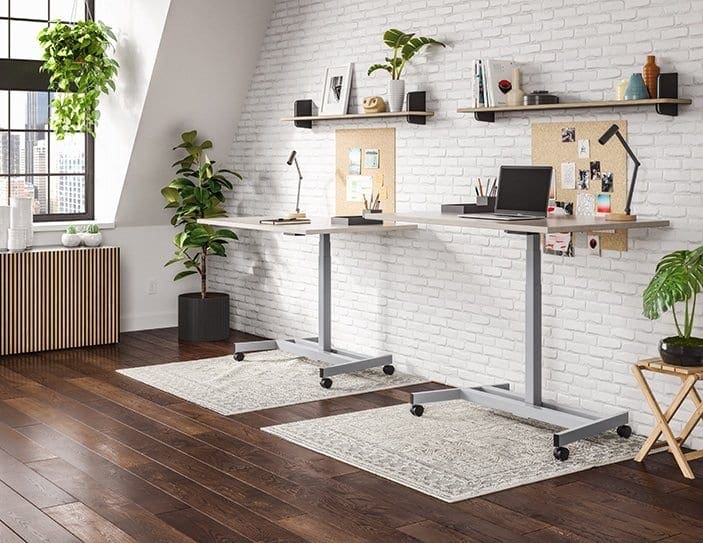
On Klöud, Nimbus, Lüften, and Ändern, a handle under the work surface releases the mechanism so the user can guide the desk between heights. Gas springs provide lift assistance without an electric motor, cord, or outlet. These four models move from sitting to standing in under three seconds under their confirmed setup conditions.
The amount of assistance differs. Klöud can be tuned for 60–150 lb of total setup weight. Nimbus is fixed at 110 lb of total setup weight. The total includes the work surface and all equipment. For Nimbus, its approximately 60 lb standard surface leaves about 50 lb for equipment; that equipment allowance is not a separate total limit.
If you replace a monitor or work surface, the total can change. Klöud’s lift assistance can be retuned to a changed setup within its confirmed range; Nimbus’s fixed assistance cannot be retuned. See the pneumatic desk guide for a fuller explanation of setup weight and model differences.
A hydraulic system transmits force through liquid. The term alone does not tell you whether a particular standing desk uses a hand control, crank, motor, or another arrangement. Check the manufacturer’s explanation for the exact model rather than assuming it requires electricity or works like one of our pneumatic desks.
Ask what its stated load rating measures, how height adjustment is controlled, whether it needs an outlet, and what service the manufacturer specifies. Compare published dimensions and terms for the configuration you would actually order. We do not sell a hydraulic standing desk in the current range, so there is no like-for-like hydraulic model specification here.
Keep weight figures separate. A pneumatic operating range describes the setup weight for which lift assistance is adjusted or set. An equipment allowance is the amount left after the work surface is counted. A structural load capacity describes a different rating. Some electric desks also publish a dynamic lifting capacity. Do not substitute one number for another.
Then compare usable height range, work-surface dimensions, controls, power needs, and the warranty or service terms for each model. A claim about sound, durability, price, or maintenance requires model-specific evidence; the mechanism label does not supply it.
List your work surface and equipment, measure the seated and standing heights you need, and check where the desk will sit. If cord-free placement matters, our pneumatic desks do not require an outlet for height adjustment. If your equipment weight is likely to change, compare fixed and adjustable lift assistance before ordering.
Compare the current desks using their published measurements. If a setup detail or weight basis is unclear, ask our team with your equipment list.