
A height-adjustable desk changes the distance between its work surface and the outlet. Cable management should give every power and data cable a clear path at both height extremes, with room to move and no strain on connected equipment.
List the cables for monitors, computer, speakers, chargers, lights, and any network connection. Mark what stays on the moving work surface and what stays on the floor or wall. Note the outlet location and the points where cables enter each device.
Route power and data according to the equipment manufacturers’ instructions. Keep plugs and controls reachable, and avoid hiding a connection you may need to disconnect. A simple sketch helps reveal where a cord will need extra length when the desk rises.

With the equipment connected, check the cable path at the desk’s lowest and highest usable positions. At the top, nothing should pull on a plug, monitor arm, or computer port. At the bottom, extra cable should stay clear of the feet, column, and any moving parts.
Move the desk slowly while watching the route. Stop and adjust it if a cord catches, tightens, or rubs against a moving edge. Repeat the check after moving the desk or changing the outlet location.
Group related cords where it makes sense and support them along a path from the work surface toward the floor. Reusable ties, sleeves, clips, or an articulated carrier can help organize the route. Leave enough flexibility for the full travel rather than pulling every cord taut for a cleaner photo.
Keep the route easy to inspect and change. Labeling both ends of similar cords can make later equipment changes simpler. A neat path may reduce accidental unplugging, but it does not replace checking each device’s cord length and connection requirements.
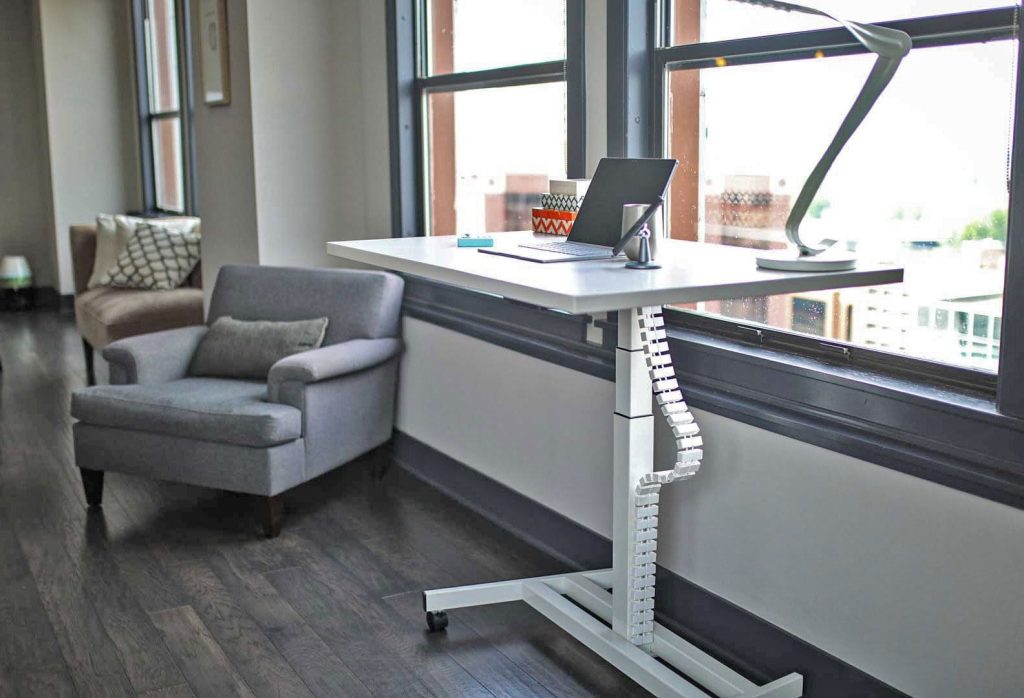
Our Cable Management accessory uses an articulated chain to guide power and data cables as the desk moves. The current product page lists black, white, and silver finishes and included mounting hardware. It describes fit with current The Standing Desk models, while noting that Möbel’s compact integrated surface generally does not need a cable chain.
Before ordering, check the mounting location and your own cable count, length, and outlet position. Ask our support team if a specific desk or accessory arrangement needs a fit check. Do not rely on the appearance of another installation to confirm your configuration.
Add a monitor, replace a computer, relocate a power strip, or install casters, and the cable route may need to change. Review the path again at both heights before returning to normal use. Remove unused cords rather than leaving them in a moving bundle.
The goal is a route you can understand and maintain. Start with the devices you actually use, test the desk’s movement, then add organization where it solves a real routing problem.